You're standing in a water-damaged home, trying to answer an adjuster's questions while your phone fills with unsorted photos, contractors send invoices through different apps, and important emails disappear into an inbox. The evidence may exist, but if you can't retrieve it, date it, and connect it to a specific loss, it has limited practical value during a claim.
That's why documentation organization isn't a one-time cleanup. A property claim can remain active for months, and every inspection, estimate, repair, supplement, and settlement discussion adds another layer of records. The system that protects your claim is the one you can maintain when you're tired, displaced, and under pressure.
Why Documentation Organization Determines Your Claim Outcome
A homeowner once called after receiving a settlement offer that didn't account for major portions of the water damage. The homeowner had plenty of evidence, including phone photos, receipts, contractor messages, and emails with the carrier. The problem was that the photos had generic filenames, the receipts were mixed with ordinary household expenses, and no one could quickly show which repair costs matched which room.
The insurer didn't have to prove that the damage was insignificant. The disorganized file made it easier to question timing, scope, and necessity. The homeowner spent weeks reconstructing the claim history, and the dispute became harder because the evidence wasn't connected in a clear sequence.
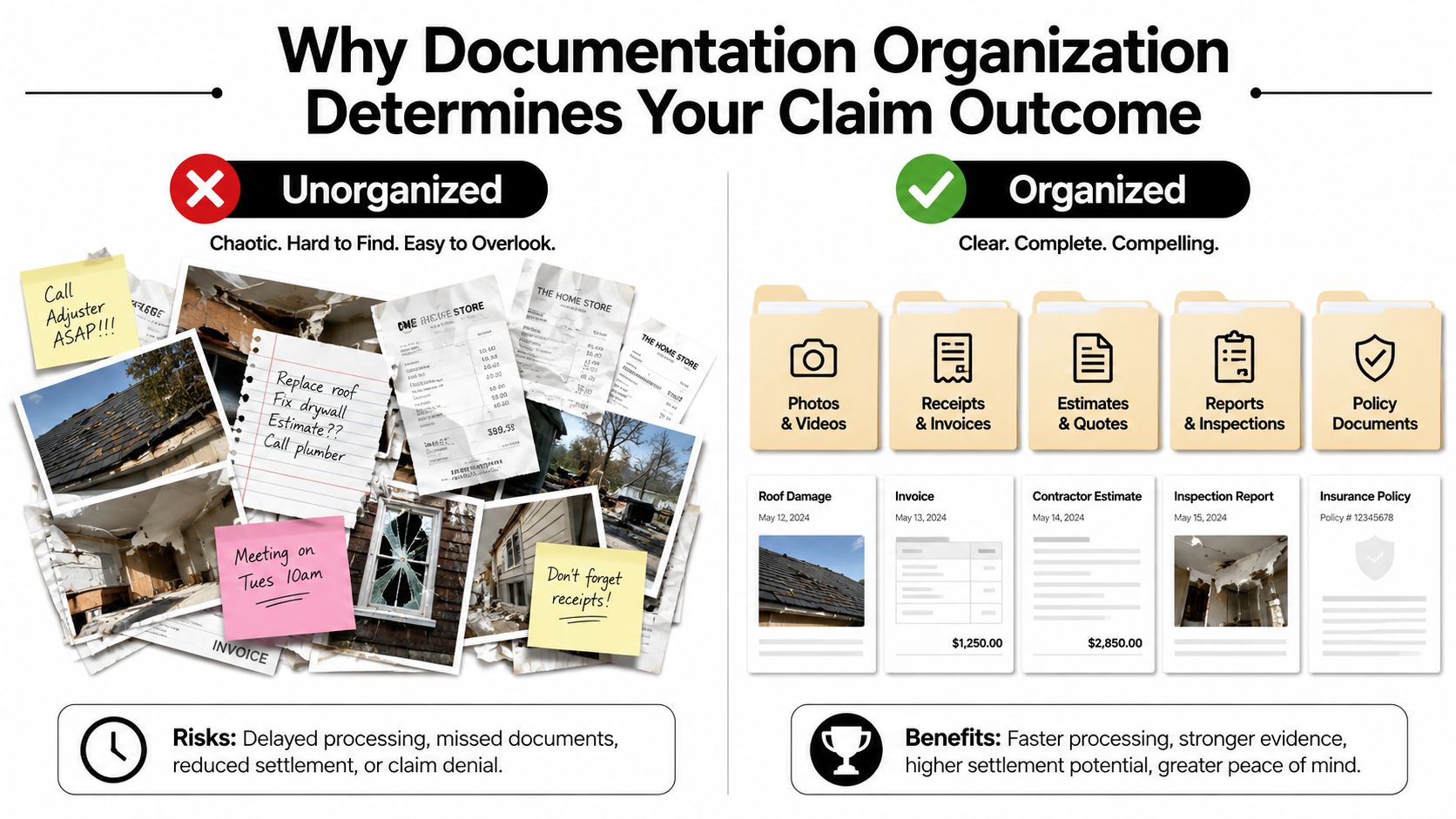
That situation is common after a loss. You may photograph everything during the first few days, but later you add mitigation bills, temporary living expenses, damaged-content lists, contractor estimates, adjuster reports, and correspondence about disputed line items. Without a working structure, the file becomes a collection of fragments.
Chaos weakens otherwise valid evidence
Fragmented storage creates practical problems. A CMSWire report cited by research on document-management pain points found that 68% of organizations had five or more repositories, a condition that makes searching, version control, and duplicate-file prevention more difficult. A personal claim can develop the same problem through a phone, email account, local computer, shared drive, paper folder, and contractor portal.
The insurer's questions often require a connected answer:
- What did the property look like immediately after the loss?
- Which contractor performed the work?
- What did the invoice cover?
- When did you notify the carrier?
- Which item in the estimate supports this expense?
If those answers require hours of searching, your negotiating position weakens. A clean evidence package lets you produce the dated photograph, related estimate, invoice, and communication record together. It also helps identify omissions before the insurer uses them to justify a low valuation.
Practical rule: Every important document should answer three questions quickly, what is it, when did it occur, and which claim issue does it support?
A disciplined process also preserves your energy. The longer a claim continues, the less reliable memory becomes, and the more likely you are to accept an inadequate offer because rebuilding the file feels impossible. Use a dedicated evidence-preservation process from the first day, then maintain it as new information arrives.
Building a Folder Structure That Survives the Claims Process
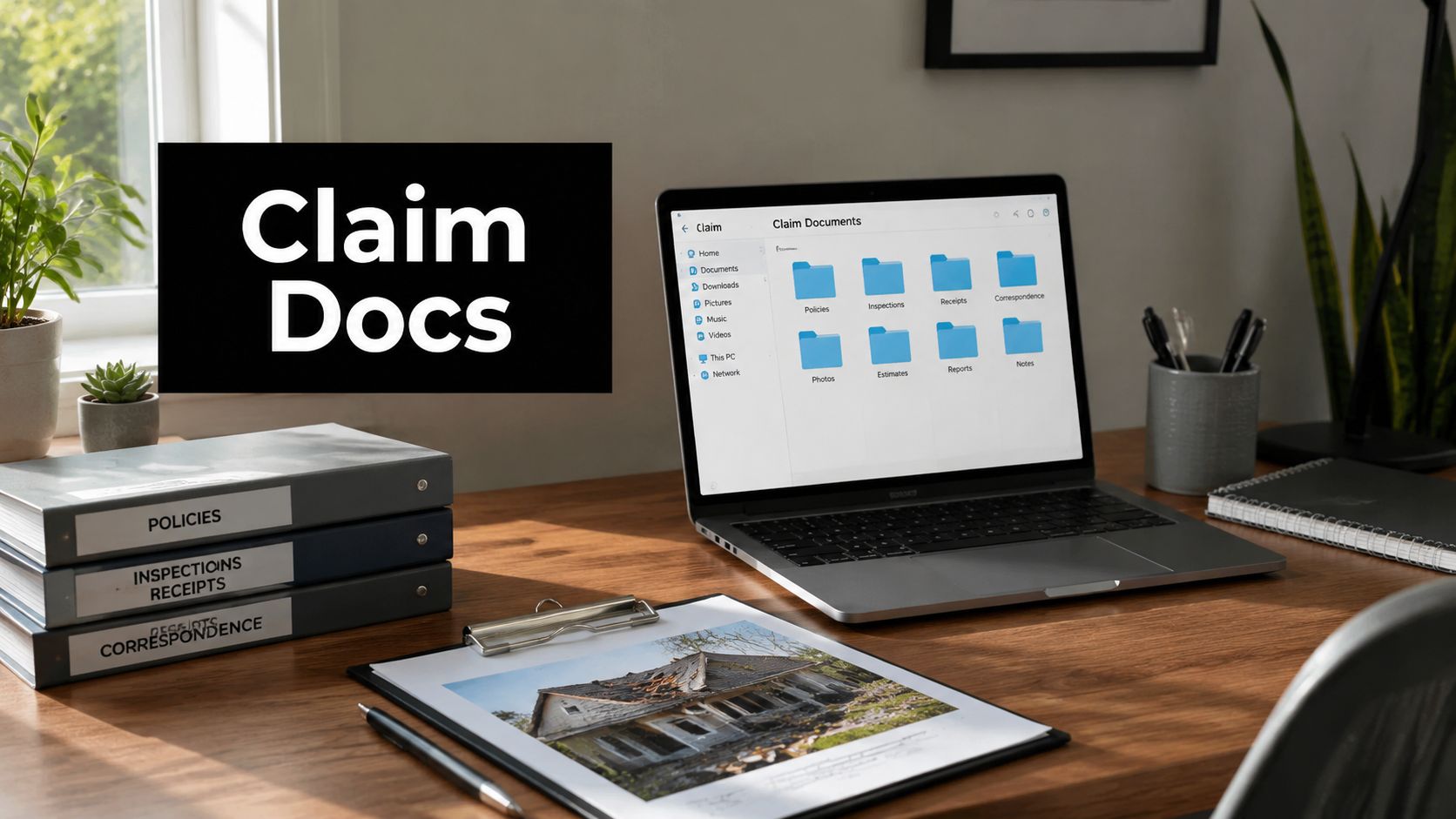
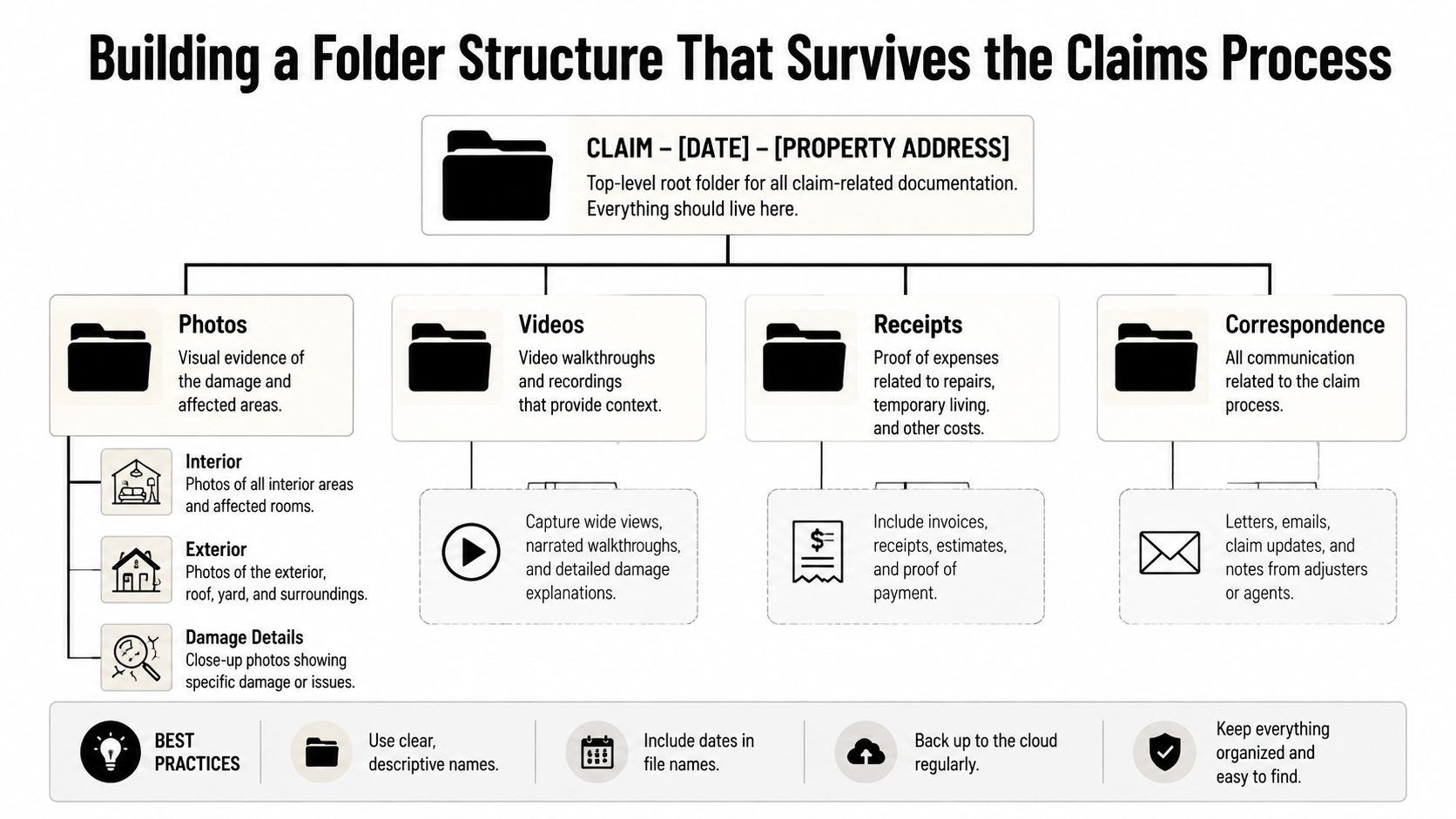
A useful claim folder should be understandable to someone who didn't create it. Avoid a single folder called “Insurance” with hundreds of mixed files. Start with a root folder that identifies the loss without relying on memory:
YYYY-MM-DD_ClaimType_Address
For example:
2024-03-15_HailDamage_1234OakSt
Inside it, create six numbered folders:
01_Policy_Documents02_Damage_Photos_Videos03_Contractor_Estimates04_Receipts_Invoices05_Communication_Logs06_Adjuster_Reports
Numbering keeps the folders in a consistent order across computers, cloud platforms, and shared drives. It also separates active evidence from reports and policy material, which prevents a contractor estimate from being confused with an insurer's evaluation.
Name files for retrieval, not storage
A filename should carry enough information to identify the record without opening it. For photographs, use:
YYYY-MM-DD_Room_DamageType_Sequence
A roof-related interior image might become:
2024-03-16_MasterBedroom_WaterStain_001.jpg
For invoices, use:
YYYY-MM-DD_Vendor_ServiceType_Amount
A plumber's emergency invoice could be:
2024-03-18_AcePlumbing_EmergencyRepair_2450.pdf
Keep room names and damage descriptions consistent. Don't use “bedroom,” “main room,” and “master” interchangeably if they refer to the same space. Consistency makes search work and helps another person follow the evidence trail.
Mirror the system on paper
Digital storage should be the primary working system, but physical documents still matter during inspections and meetings. Use a three-ring binder with dividers that match the six digital folders. Keep originals, signed forms, and documents that arrived only on paper in protective sleeves, then scan them into the corresponding digital folder.
Create a master index spreadsheet with columns for document date, file name, short description, claim category, and folder location. If you use a document platform, confirm that it preserves versions and records access permissions. Claim-processing guidance can help you place these records within the broader sequence of notice, inspection, estimates, supplements, and resolution.
Photo and Video Evidence That Adjusters Cannot Dismiss
Visual evidence becomes persuasive when it establishes context, scale, timing, and continuity. A close-up of a ceiling stain may show damage, but it doesn't show whether the stain is in the claimed room, how large the affected area is, or what the surrounding conditions looked like.
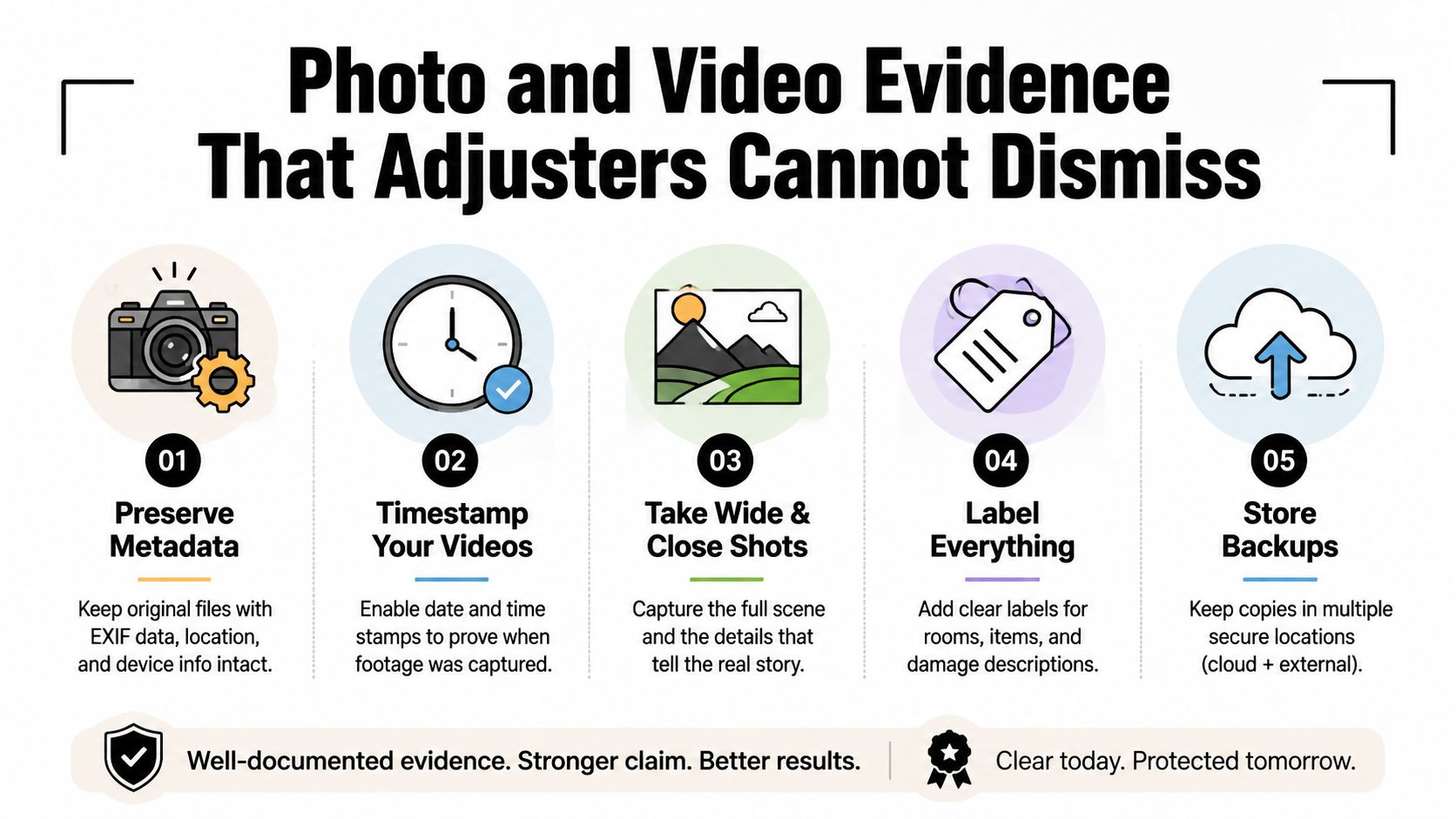
Start with the original files. Avoid editing, compressing, or repeatedly exporting images before storing a master copy. Check whether your phone or camera preserves available metadata, and keep the original file alongside any cropped or annotated version. An annotation can help explain a photo, but it shouldn't replace the unaltered original.
Use a repeatable capture pattern
For every significant damage point, take three types of photographs:
- Wide view: Show the room, elevation, or larger property context.
- Medium view: Frame the affected wall, ceiling, floor, fixture, or building component.
- Close view: Show cracking, staining, separation, missing material, mold-like growth, or another specific condition.
Include a reference object for scale. A tape measure is preferable because it provides direct dimension, but a dollar bill or hand can help establish relative size when appropriate. Keep the object beside the damage without covering the affected area.
Water stains often disappear into uneven lighting. Use a flashlight from the side to create raking light across the surface, then photograph the same area under ordinary room lighting. Don't alter the scene to make damage look worse. Your credibility matters as much as the image.
Make video a continuous record
A narrated walkthrough should move slowly through the property and identify each room before describing the condition. Begin with a recognizable date reference if available, such as a current newspaper or an opened news page, but keep the original video file and avoid splicing clips together.
Return to the same camera positions when documenting progressive damage or temporary repairs. Consistent framing makes changes easier to compare. A photo log should connect each file to a room, condition, date, and claim issue, such as “ceiling drywall removal,” “temporary roof covering,” or “contents affected by smoke.”
Roof images present safety and access concerns. Don't climb onto a damaged roof to obtain evidence. Ask the contractor for safely captured images, consider licensed aerial documentation where appropriate, and preserve the provider's report with the related estimate. For complex losses, photographic documentation guidance can help determine whether ordinary phone evidence is sufficient or whether professional documentation is warranted.
Tracking Receipts Invoices and Communication Logs
Financial records need a trail, not just a pile. Separate expenses into meaningful categories, such as emergency mitigation, temporary living expenses, permanent repairs, personal property, and professional services. A receipt without a date, vendor, purpose, or connection to the property can be difficult to evaluate.
The same principle applies to contractor invoices. “Repair work, $15,000” gives the carrier little basis for confirming scope. A stronger invoice identifies labor, materials, rooms or building components, quantities where relevant, work dates, emergency measures, and remaining repairs. Ask contractors to explain changes from the original scope in writing.
Build the communication record as the claim develops
Save important emails as PDFs rather than relying only on an inbox. Use a filename that preserves the date, sender, subject, and issue:
2024-04-02_Carrier_AdjusterInspectionRequest.pdf
For phone calls, record the date, contact name, role, subject, commitments, and next action. Keep the tone factual. Don't use the log to vent. It should allow another person to understand what happened and what remains unresolved.
Temporary living expenses require the same discipline. Keep hotel folios, rental agreements, meal receipts when covered by the policy, storage bills, parking receipts, and mileage records together. Note why each expense occurred and the dates it relates to. If you pay cash, obtain a signed receipt that identifies the vendor, service, amount, date, and property address.
| Document Type | Filing Category | Naming Convention Example | Retention Rule |
|---|---|---|---|
| Emergency repair receipt | Mitigation | 2024-03-18_Vendor_WaterExtraction_Amount.pdf |
Keep the original and scanned copy |
| Contractor estimate | Estimates | 2024-03-22_Contractor_RoofEstimate_Amount.pdf |
Preserve every revision |
| Hotel folio | Temporary living expenses | 2024-03-20_Hotel_ALE_Lodging_Amount.pdf |
Keep with the related stay dates |
| Carrier email | Communication | 2024-04-02_Carrier_CoverageQuestion.pdf |
Export from the inbox and retain attachments |
| Call note | Communication log | 2024-04-03_Adjuster_CoverageCall.pdf |
Record the outcome and next step |
A personal property inventory can supply the same control for contents losses. Use a structured personal property inventory template rather than trying to recreate items from memory after the property has been cleared.
Common Documentation Mistakes That Cost Property Owners
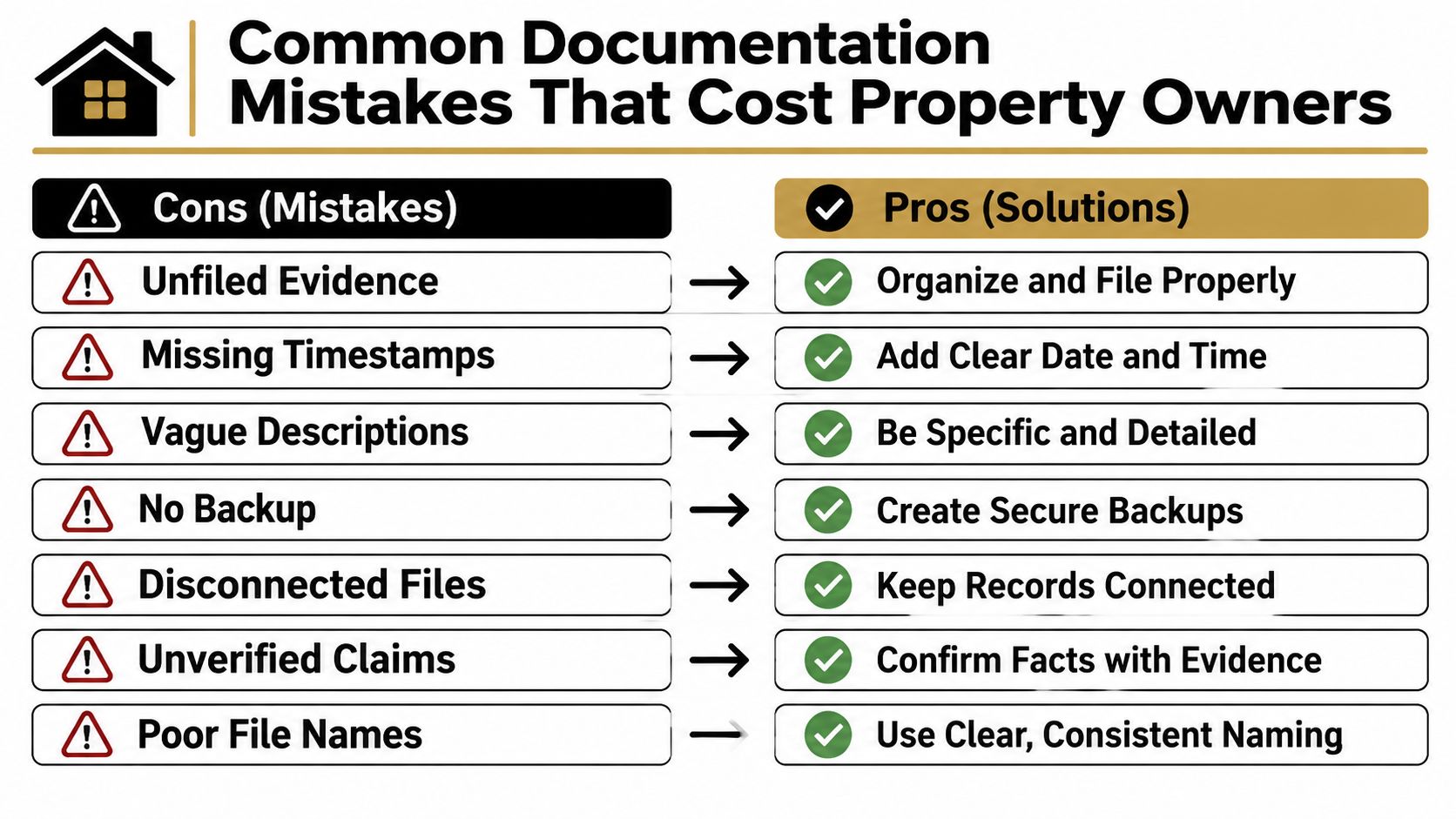
Most documentation failures involve records that exist but can't be located, verified, or connected to a claim issue. The seven mistakes below are especially damaging because each one is easy to prevent at the beginning and difficult to repair later.
The file exists, but the system doesn't
- Phone-only storage: A damaged, lost, or replaced phone can take the evidence with it. Sync originals to a controlled cloud folder and keep a second backup.
- Generic filenames: Files such as
IMG_4532force you to open each image. Rename them with the date, location, damage type, and sequence. - No pre-loss context: If you never photographed vulnerable areas before the event, the insurer may argue that a condition was pre-existing. Use existing real estate listings, maintenance records, inspection reports, and older personal photos where available.
- Paper-only receipts: Receipts fade, disappear, and become hard to sort. Scan them when received, then file the digital copy immediately.
- No progression record: A single image can't show whether a condition changed after the loss. Photograph active leaks, drying, demolition, temporary repairs, and subsequent conditions from consistent positions.
- Mixed personal spending: Combining claim expenses with ordinary household purchases makes reimbursement review slower. Use a dedicated payment method or clearly mark claim-related transactions.
- Early abandonment: Many owners organize the first week and then stop. A claim generates new evidence throughout inspections, supplements, repairs, and settlement discussions.
A claim file should be maintained like a project record, not treated like a scrapbook.
Set a weekly review appointment for 15 minutes, and use it to rename new files, scan paper, update the index, and check backups. A dedicated claim email address can separate carrier correspondence from personal messages. Cloud sync with version history protects against accidental overwrites, but it isn't a substitute for reviewing whether the correct files are present.
Memory becomes less dependable as a claim stretches across months. When you can't remember why an expense occurred, write the explanation while the event is fresh. For formal submissions, retain copies of signed forms and review the proof of loss form guidance before signing.
Your Printable Documentation Organization Checklist
The system works when maintenance becomes routine. Don't wait for an inspection, supplement request, or disputed estimate to discover that new files are sitting outside the claim folder.
Daily actions
- Photograph new damage, demolition, drying, temporary protection, and repair progress.
- Save receipts and invoices as soon as you receive them.
- Export significant carrier and contractor emails as PDFs.
- Add phone calls, voicemails, and in-person conversations to the communication log.
- Record the file name and claim category for each new item.
Weekly actions
- Rename every new photograph, video, receipt, estimate, and correspondence file.
- Move documents into the correct numbered folder.
- Update the master index with date, description, and location.
- Confirm that cloud synchronization completed successfully.
- Compare new contractor work with the previous scope and flag changes in writing.
Claim milestone checks
At initial filing, confirm that the policy, declarations, claim number, notice of loss, and first evidence package are together. Before the adjuster inspection, prepare a room-by-room photo log and a list of questions. When requesting supplements, preserve the original estimate, revised estimate, supporting photographs, contractor explanation, and submission email as one connected record.
At settlement, compare the carrier's position with your documented scope, invoices, receipts, and unresolved items. Don't delete disputed records just because a payment has arrived. Keep the complete file for tax questions, future damage, a later claim involving the same property, or potential legal review.
Monthly audit questions
Ask yourself:
- Are all new files inside the claim hierarchy?
- Do filenames follow one convention?
- Are there duplicate or conflicting versions?
- Can every major expense be tied to a date and purpose?
- Can every disputed line item be matched to a photograph, estimate, invoice, or communication?
- Does the backup contain the current folder, not just an older copy?
Organizations face the same maintenance problem at a larger scale. A 2026 documentation survey describes documentation debt as the gap between how work is performed and how it is recorded. The lesson applies to claims: ownership must remain clear after the initial cleanup, and each new record needs a place, a name, and a reason for being there.
For commercial properties, nonprofits, and larger losses, treat the claim folder as a controlled record rather than an informal shared drive. That approach supports human retrieval and increasingly AI-assisted discovery, but only when the underlying names, metadata, permissions, and versions remain reliable. Keep the archive after the active claim closes, and document what was paid, what remains disputed, and where the final supporting records are stored.
NW Claims Management prepares organized claim packages with photographs, written assessments, invoices, reports, and supporting evidence, helping property owners maintain a clear record through inspections, supplements, and settlement discussions. Visit NW Claims Management to request a claim evaluation and discuss how professional representation can reduce the administrative burden of managing a complex property loss.